About this role
Requirements/Qualifications
- Has a degree in Computer Science, Robotics, Electrical Engineering, Mechanical Engineering, Robotics Engineering, or a related field.
- Has a citizenship/does not require any immigration or visa assistance.
- Full time role
What You’ll Do
- Design and integrate electrical and mechanical systems.
- Create PCBs for humanoid robots.
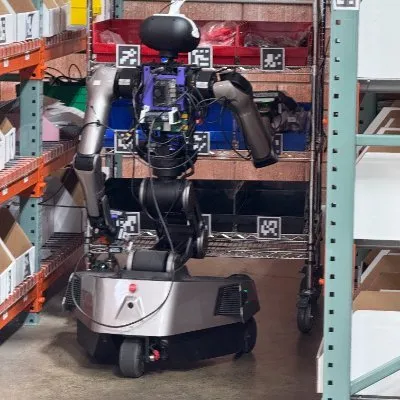
- Place cutting edge robots in real deployments.
- Create new robot form factors for various applications
- Rapidly prototype, and iterate based on changing demands.
What We’re Looking For
- Experience with electromechanical systems or robotics.
- Excellent knowledge of electrical engineering.
- Experience with hand tools and disassembly, assembly, and documentation of systems.
- Experience with Linux based operating systems (ROS 2 especially).
- Experience with computer assembly and bandwidth architecture (USB and PCIE standards).
- Skills in CAD and embedded systems.
- Strong hands-on engineering and troubleshooting ability for both electrical and mechanical systems.
- Experience with 3D CAD software.
- Experience with ECAD software.
- Familiarity with typical electronics tools such as oscilloscopes and logic analyzers.
- Experience with typical humanoid systems (BLDC actuators, CANbus, lithium based batteries).
- Understanding of industrial requirements (IP Rating, MTBF).
- Experience with component sourcing and dealing with vendors.
- Familiarity with GD&T
Why This Role
- Direct impact on company results.
- Creating cutting edge robots for real deployments.
Tired of cold applications?
Sign up with Clera and we'll reach out the moment a role actually fits you — no more spraying applications into the void.


Ask your AI about this role
Connect Clera once, then ask if it fits you.
Ask about this role
Read the Robotics Hardware Engineer listing at Yondu (https://www.getclera.com/jobs/yondu/robotics-hardware-engineer-g8w9j84p8au7) and tell me whether it fits my profile. Save it for me if it does.
Not connected yet? Takes a minute
One click above pre-fills the connector. Or by hand: Settings > Connectors > Add custom connector, paste https://mcp.getclera.com. Either way, sign in with the account you use on Clera and approve the consent screen.
https://mcp.getclera.comSign in with your Clera account. MCP docs